Appearance
Knowledge Check
See What AI Assistants Actually Know About Your Podcast
Knowledge Check shows you what the major AI assistants believe about your show — and flags anything they get wrong. As more listeners ask ChatGPT, Claude, Perplexity, and Gemini for podcast recommendations, it matters not only that AI mentions you, but that it describes you accurately. Knowledge Check asks each assistant directly, compares its answer against your own show notes and feed, and brings back a clear list of fixes for whatever doesn't add up.
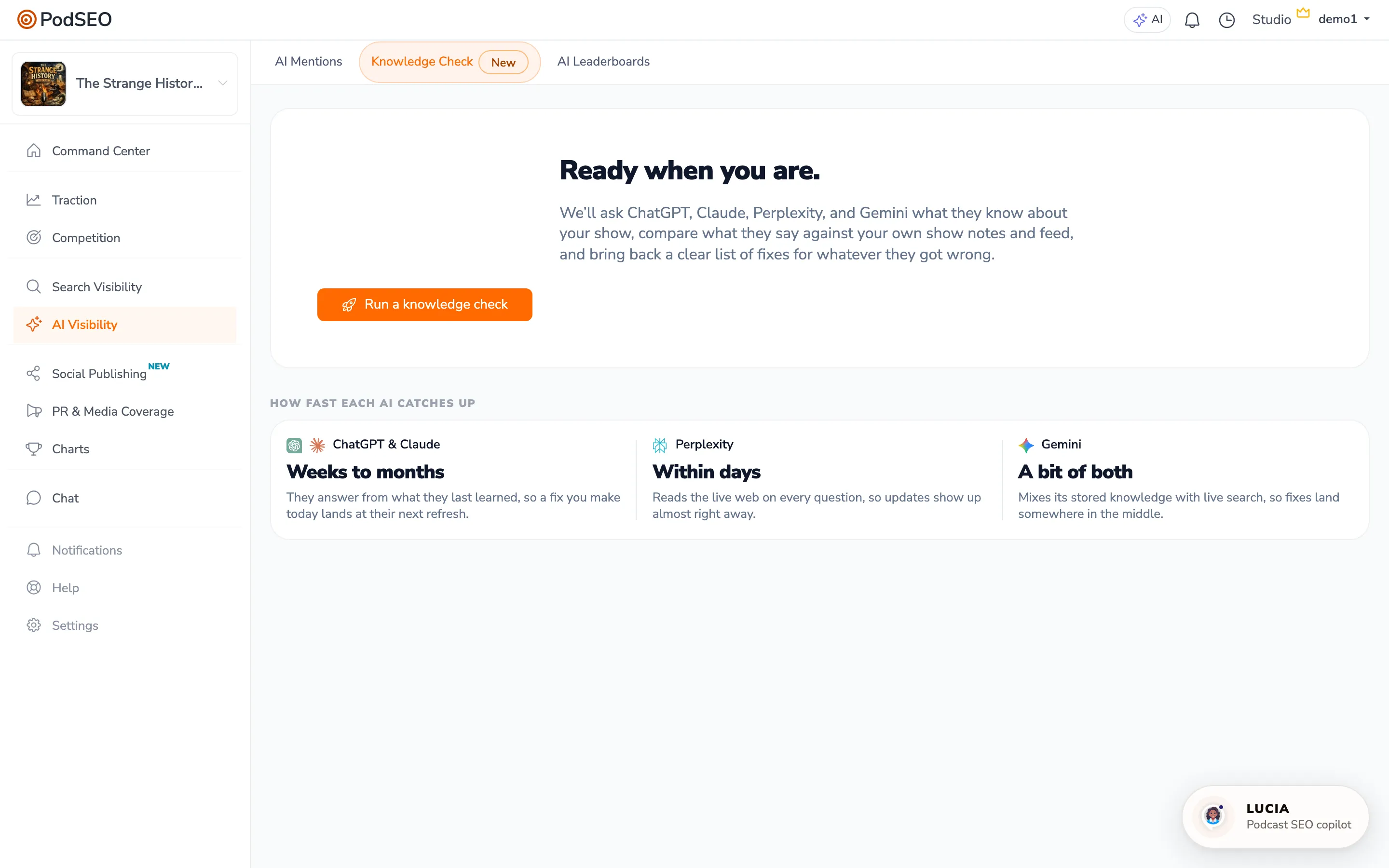
To access: Click AI Visibility in the sidebar, then open the Knowledge Check tab.
Why Knowledge Accuracy Matters
Being recommended by AI is only valuable if the AI gets the details right. When a listener asks an assistant about your show, a confident but wrong answer — the wrong host name, an outdated topic, a made-up detail, or a confusion with a similarly named podcast — can send that listener elsewhere or set the wrong expectation before they ever press play.
Knowledge Check helps you find and close those gaps. Instead of guessing what AI assistants think, you get a side-by-side look at what each one actually says about your podcast, measured against the facts in your own materials.
How to Use Knowledge Check
Run a Check
Open the Knowledge Check tab and select Run a knowledge check. PodSEO asks the same plain-English question about your show to all four major AI assistants:
- ChatGPT (OpenAI)
- Claude (Anthropic)
- Perplexity
- Gemini (Google)
Each assistant is asked twice — once based on what it already knows, and once with live web search — so you can see both what it has learned and what it finds on the live web. The check runs in the background and assembles your results when every assistant has answered.
Review Your Results
When the check finishes, you'll see a summary headline telling you how many of the four assistants recognize your podcast, along with how many details disagree with your own materials.
A Your materials say reference panel sits at the top, showing what your show notes and feed actually state about your hosts, format, audience, topics, and description. This is the standard every assistant's answer is measured against, so you can see exactly where any mismatch comes from.
Below that, each assistant gets its own card showing:
- What it knows — the hosts, topics, audience, and description it associates with your show
- Trained vs. Web search — toggle between what the assistant learned previously and what it finds on the live web, so you can tell whether an issue is a stale-knowledge gap or a live-web discoverability gap
- Mismatch flags — clear labels when an answer disagrees with your materials, such as hosts that don't match, topics that drift, an outdated description, or a made-up detail
- Sources — where the assistant pulled web information from, when available
- A verify link — open the assistant yourself to confirm what it says
Act on Recommended Fixes
Knowledge Check ends with a Recommended next steps list. Each fix targets a specific gap it found and links you straight to the PodSEO page that closes it — your show notes, your description, or your website — so you can take action without hunting for where to start.
A website signals strip also shows whether your site offers the kinds of structured information that help assistants describe you accurately, so you know whether strengthening your web presence could improve future answers.
How Fast Each Assistant Catches Up
When you fix something, different assistants reflect the change on different timelines:
- ChatGPT and Claude answer mostly from what they previously learned, so a fix you make today typically lands at their next knowledge refresh — a matter of weeks to months.
- Perplexity reads the live web on every question, so updates tend to show up within days.
- Gemini mixes stored knowledge with live search, so fixes generally land somewhere in between.
Knowing this helps you set realistic expectations after making a change and decide where a fix will pay off soonest.
Best Practices
- Start with your materials. Because every mismatch is measured against your show notes and feed, accurate, complete metadata is the foundation. Make sure your host names, description, and topics reflect your show as it is today.
- Prioritize the clear errors. Wrong host names, confused shows, and made-up details do the most damage to listener trust — close those first.
- Re-check after you make changes. Knowledge Check is available to run once per week, which gives faster-updating assistants like Perplexity time to reflect your fixes before you check again.
- Watch the Trained vs. Web search gap. If an assistant gets you right on the live web but wrong from memory, the issue is timing. If it's wrong on both, that points to a discoverability gap worth strengthening through your web presence.
Integration with Other Features
Knowledge Check works alongside the rest of the AI Visibility tools to give you a complete picture of how AI sees your show:
- AI Mentions — tracks how often AI assistants recommend your podcast across topics
- AI Leaderboard — shows which podcasts AI recommends most for any topic
- Keyword Strategy — optimizing your metadata for search also helps AI describe your show accurately
Availability
Knowledge Check is a paid feature. Free users see a preview of what the check covers along with an Upgrade to run a knowledge check prompt; upgrading unlocks the ability to run checks and view full results. Each podcast can run one check per week.
Pro Tips
- Run a check whenever you rebrand, change hosts, or shift your show's focus — these are exactly the moments AI is most likely to be out of date
- Use the verify link on any card to confirm an assistant's answer yourself before deciding whether a fix is needed
- Pair Knowledge Check with AI Mentions: Mentions tells you whether AI recommends you, Knowledge Check tells you whether it describes you correctly