
Related Shows
See the shows that recommend yours, the shows your own pages recommend, and the audience connections between them. These are useful leads for cross-promotion and competitor research; they aren't measured listener referrals.
To access: Measure → Recommendations in the sidebar, or the Related Shows tab in Plan → Competition. Both open the same page. Older guides called this Related Podcasts or Referral Podcasts; existing links still open this guide.
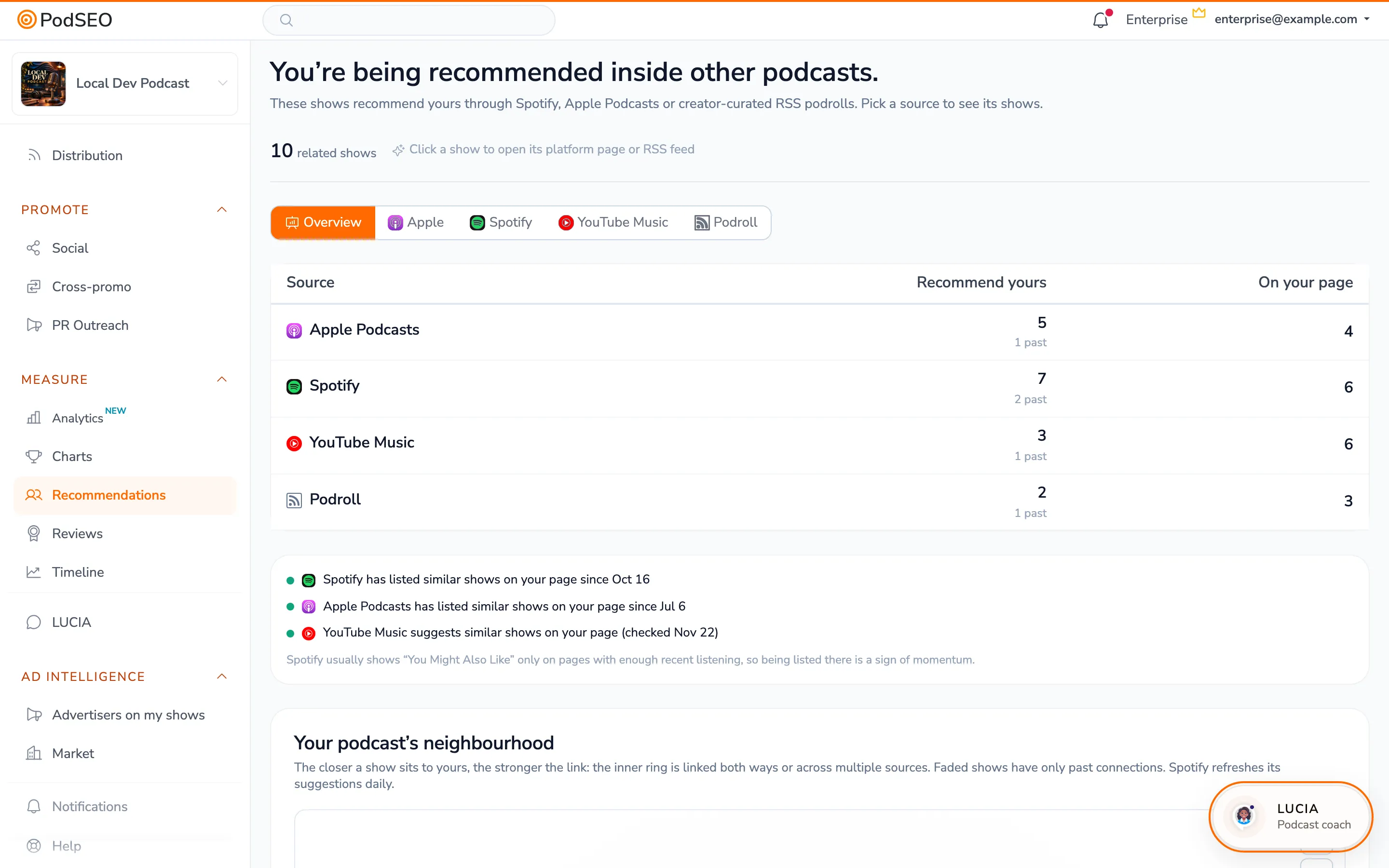
Start with Overview
Overview shows recommendation counts by source. Compare how many shows recommend yours with how many appear on your own platform pages or in your RSS podroll. Open a source tab to see the shows behind its counts. Tabs appear for sources with recommendation data.
Read your podcast's neighbourhood
The map places your show among linked podcasts. Closer shows have stronger links: they may recommend you back or connect through several sources. Bigger covers indicate more popular shows. Faded shows represent past connections.
Arrows point to the recommended show:
- Toward your show: that show recommends you.
- Away from your show: your platform page or feed recommends that show.
- Arrowheads both ways: the recommendation is mutual.
- Grey arrows: a past connection.
- Read the arrow legend, then use Spotify, Apple Podcasts, Podroll, or Past connections to focus the map.
- Zoom in to inspect a connection; Reset view restores the map. Hover a cover for its source and direction. On touch screens, tap once for its detail.
- Open a source tab to compare current and past recommendations with Suggested on your page. On the Podroll tab, look for Shows you recommend.
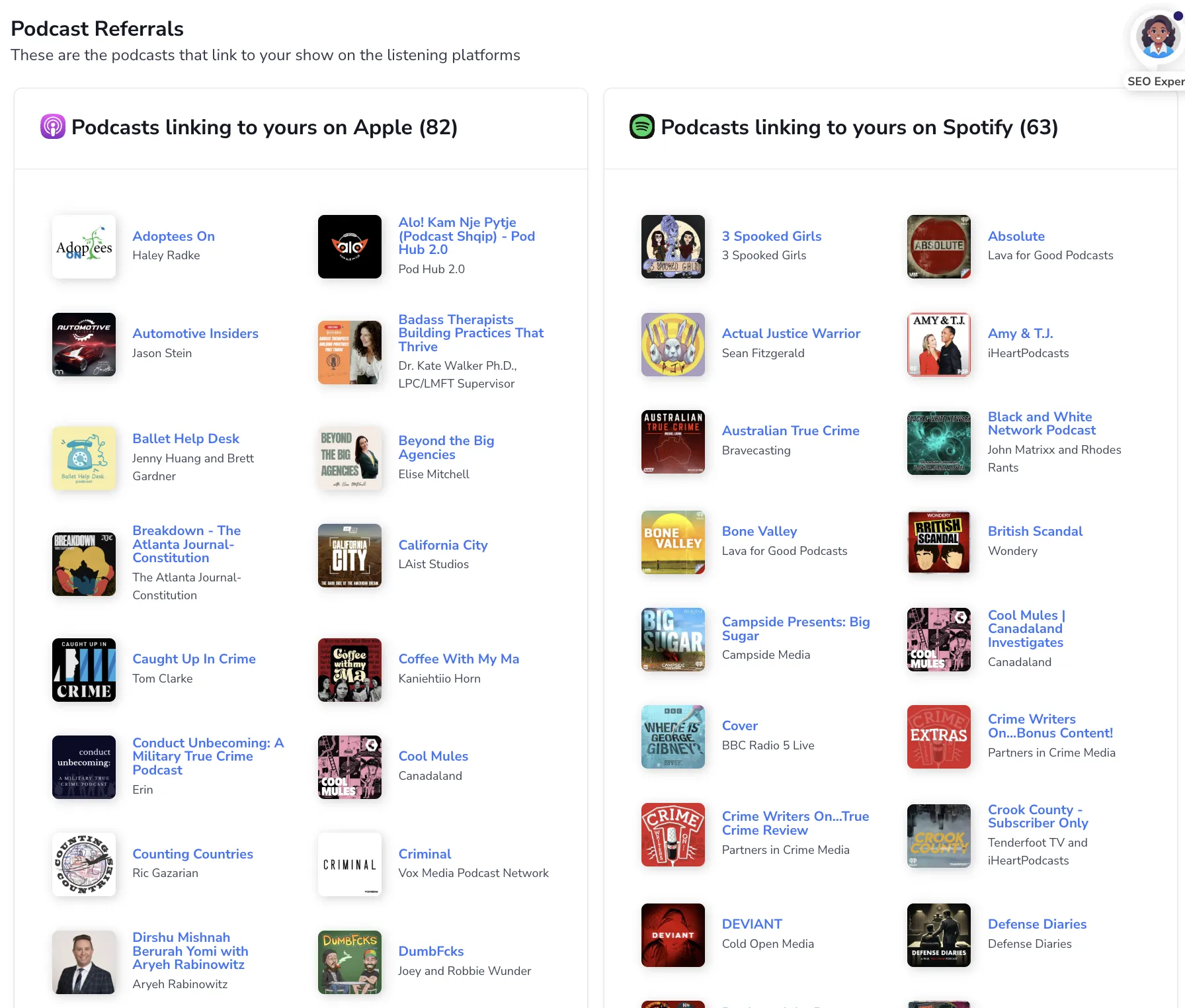
The lists provide full counts and source details, including when your browser cannot display the map. A desktop click on a map cover opens that show's platform page; a second tap on the selected cover does the same on touch screens.
Check the source and direction
Apple Podcasts — Listeners Also Liked and Spotify — You Might Also Like show where platforms recommend you on other podcast pages.
For Apple Podcasts, a card can also show your position on that show's Listeners Also Liked list (for example "You're #3 on its Apple list"). Suggested on your page can show where Apple places a show on yours ("#1 on Apple's list"). Shows with a position come first, best position first. Apple shows the first 3 shows without scrolling, so positions 1–3 are highlighted. Positions are still being collected: a card without one hasn't been re-checked yet, and that doesn't mean it ranks low.
YouTube Music — Suggested podcasts lists the shows YouTube Music suggests on your show's page, in YouTube Music's order, and the shows whose page suggests yours, with your position on their list. Shows marked From the same channel belong to your own YouTube channel: they are the publisher's catalogue, not competitors. "YouTube Music shows no suggestions for this show yet" is common for smaller shows and is not an error; "Not checked on YouTube Music yet" means the first check hasn't run. YouTube Music isn't drawn on the map yet.
Podroll — Creator recommendations shows recommendations creators publish in RSS feeds. A podroll link is a creator's choice, rather than a platform's automatic suggestion.
Expand Past connections to see shows that previously recommended yours. Suggested on your page shows the recommendations visitors see on your platform page.
If collection hasn't finished or there are no known connections, read the page's status message. No observed connection isn't evidence that nobody listens to both shows.
Choose useful partners
- Find a current incoming or mutual connection relevant to your audience.
- Open the show on its platform or RSS feed and check its content.
- Use Track if you want it in Competitive Analysis. Tracking marks shows already in your list; your competitor allowance applies.
- Approach a suitable host about a guest swap or promotion with a specific idea for both audiences.
These links indicate a connection between shows, not clicks, downloads, or a guaranteed audience transfer.
Draft podcasts
For an eligible draft, Related Shows offers potential peers based on its selected keywords and saved competitors. These are positioning references, not live recommendations of an unpublished show. See Pre-launch Planning.