
Hosting platform analytics
Hosting analytics brings downloads from Spreaker, Buzzsprout, Simplecast, Captivate or Transistor into PodSEO. Use it to follow downloads across listening apps, compare episode launches and explore the audience breakdowns your host supplies (Transistor supplies downloads only). A download is not the same as a completed listen or a unique person.
To access: choose your podcast → Analytics, then select your host's name in the source bar. The tab is called Spreaker, Buzzsprout, Simplecast, Captivate or Transistor, rather than “Hosting platform”. It appears for supported feeds. For setup, follow Connect your hosting platform.
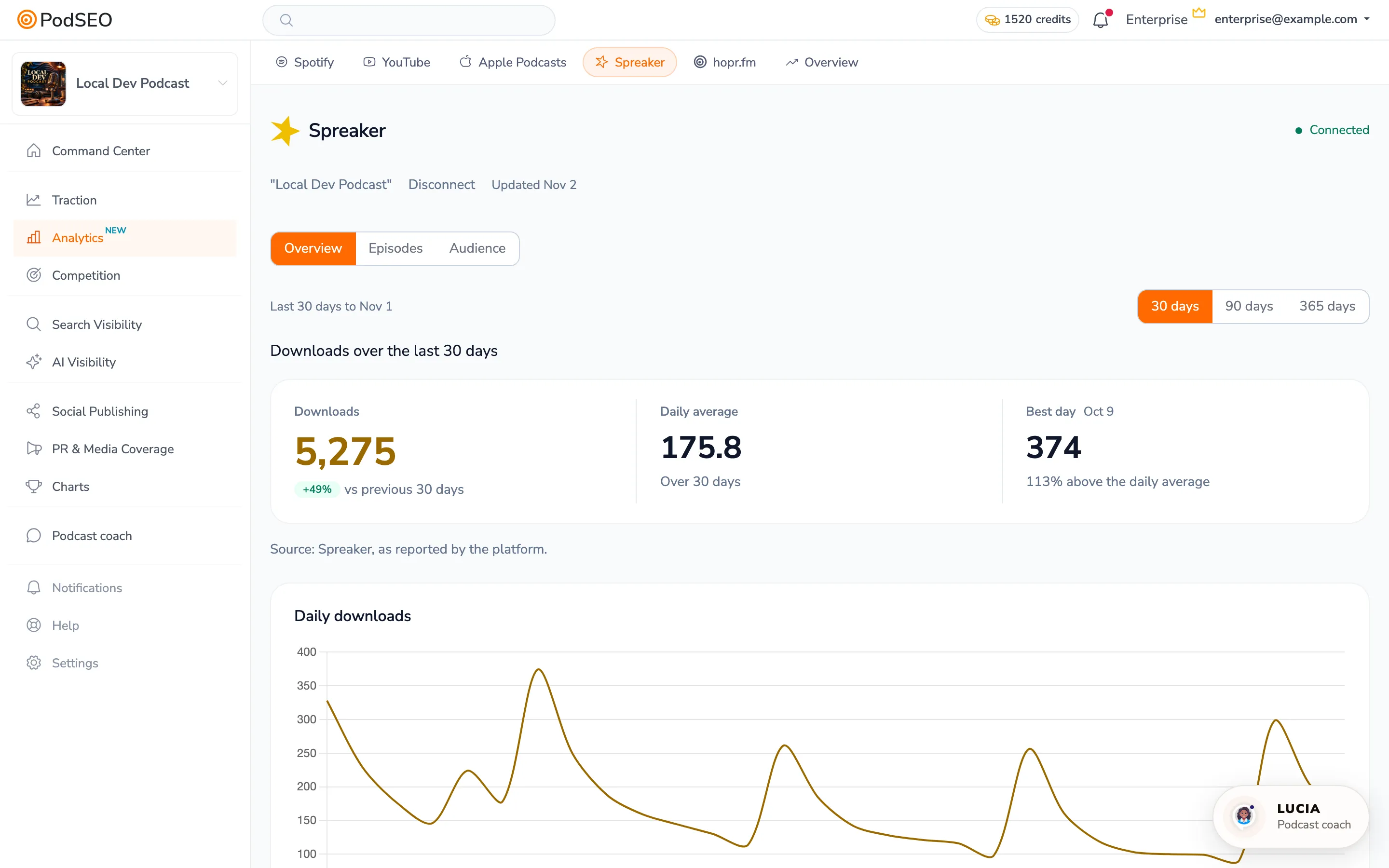
Read Overview
Choose 30, 90 or 365 days. The headline downloads, daily average, best day and chart follow that period. The page labels the source and latest update; read a failed-update or incomplete-coverage notice before interpreting missing data.
Spreaker and Simplecast can also provide weekly unique-listener measurements (Simplecast when your Simplecast plan includes them). Buzzsprout, Captivate and Transistor weekly unique listeners are not shown. Do not add weekly unique listeners together or compare them directly with download totals.
Compare episode launches
- Open Episodes.
- Enter a title in Search episodes and click Search to narrow the list.
- On desktop, click Episode for newest-first ordering or the Last … days heading for downloads in the chosen period. On mobile, use Newest or Most downloads.
- Compare First 7 days, First 30 days, the selected-period downloads and Total as separate windows.
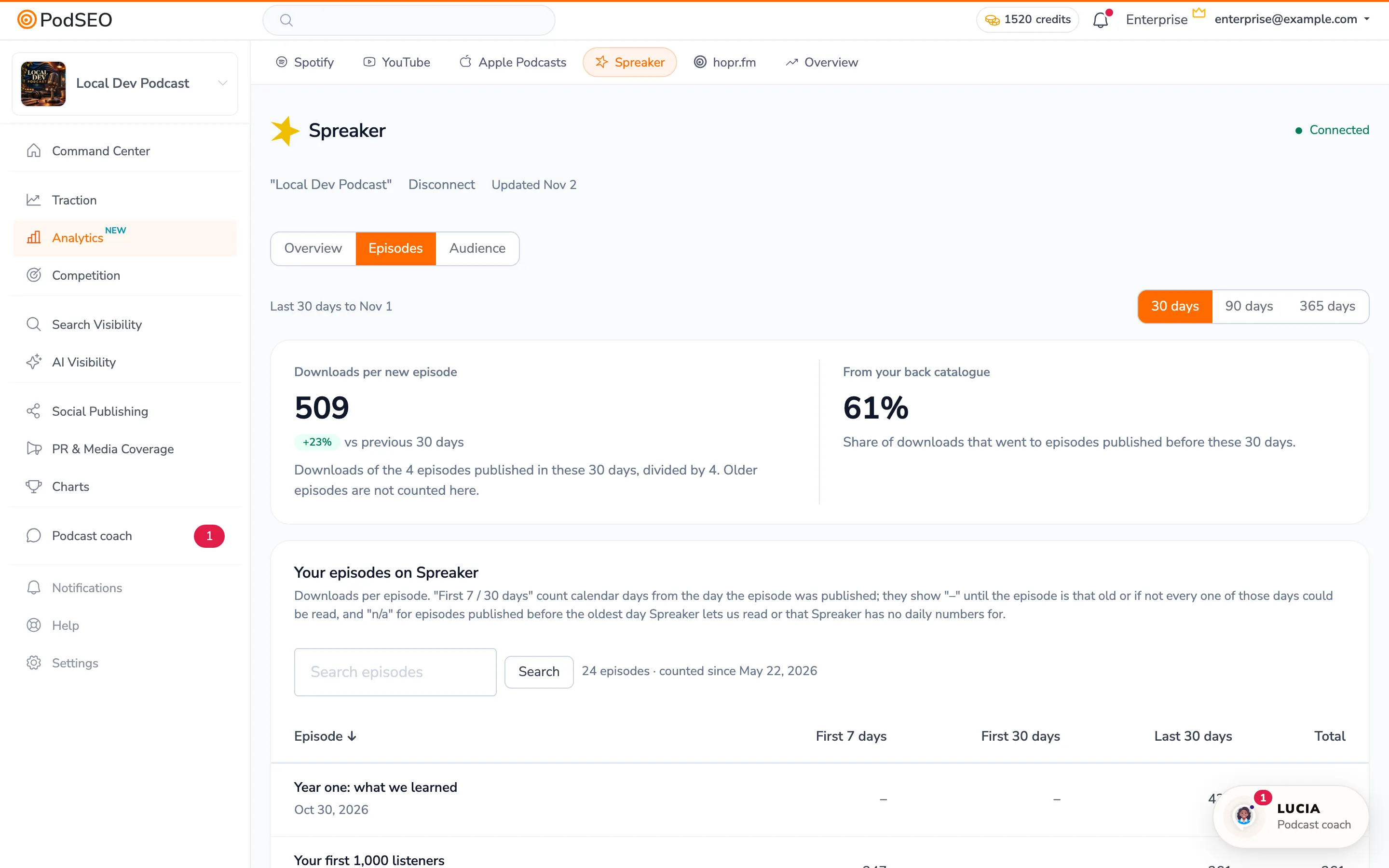
First-days downloads count calendar days from publication. “–” can mean the episode is too young or the complete daily coverage is unavailable. n/a means its release predates the history the host provides, or the host supplies no daily measurements for it. Neither is zero. Read counted since and the explanatory note above the table.
Total describes the episode total the host supplies; it need not match the sum of the visible daily history. A deleted or unavailable episode can also leave a gap between the catalog you see and host-level totals.
Where the host supplies an episode breakdown, expand Who listened to this episode for the available geography, apps or devices. These describe the stated episode window; they do not inherit every page-level period choice.
Understand Audience
Open Audience to see Who listens. Cards can show apps, devices, operating systems and countries. They describe the host's reported window, typically the last 30 days, and do not follow the 30 / 90 / 365 days selector. Read the dates below each card. Where a country map is available, expand All reported countries and select a country to highlight it and read its reported share.
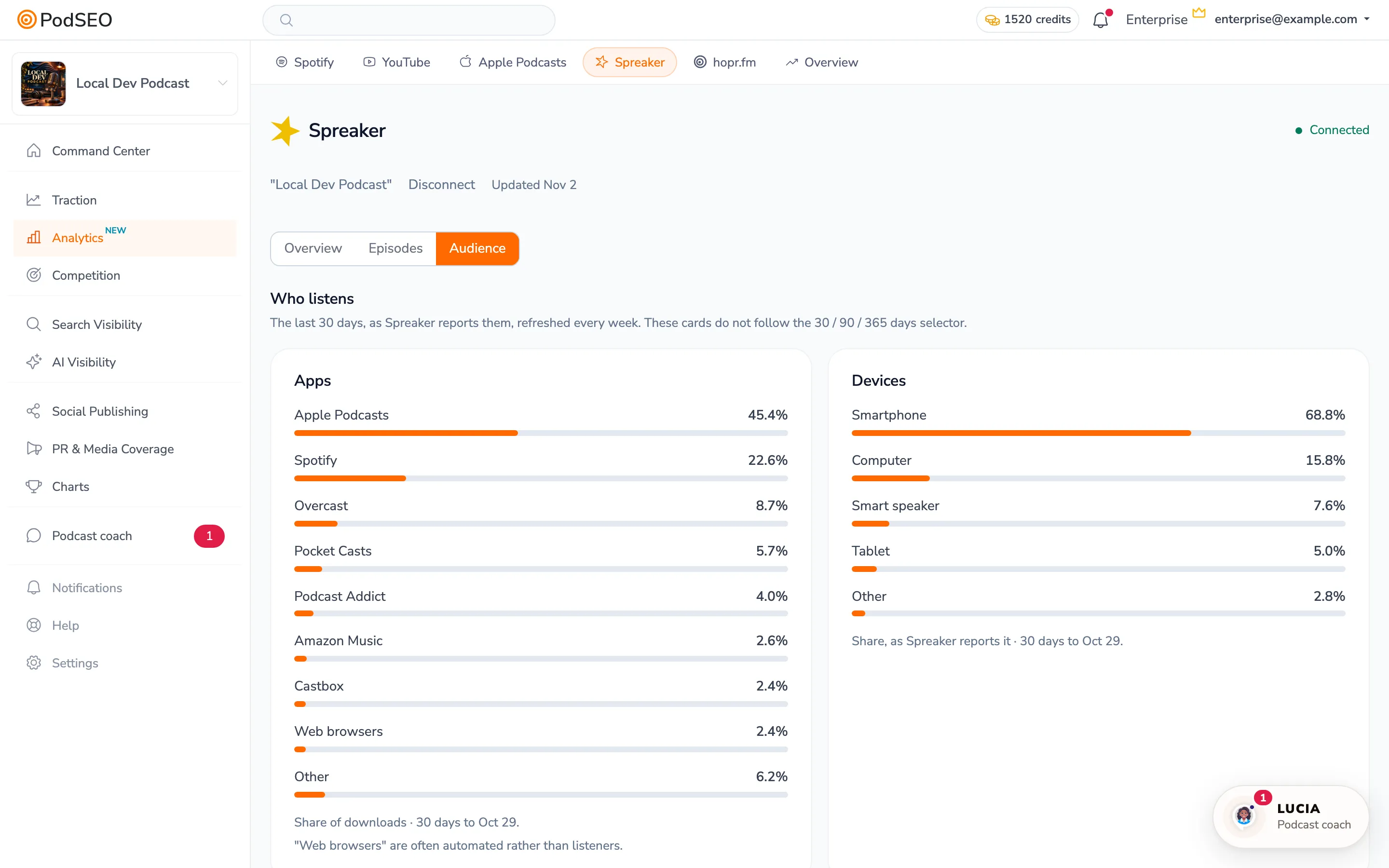
Spreaker and Simplecast breakdowns can depend on the plan you hold with them. A message about an unavailable breakdown refers to the host's access, not necessarily your PodSEO plan. Buzzsprout can provide episode-level and historical app/download reports with their own metric selectors and dates.
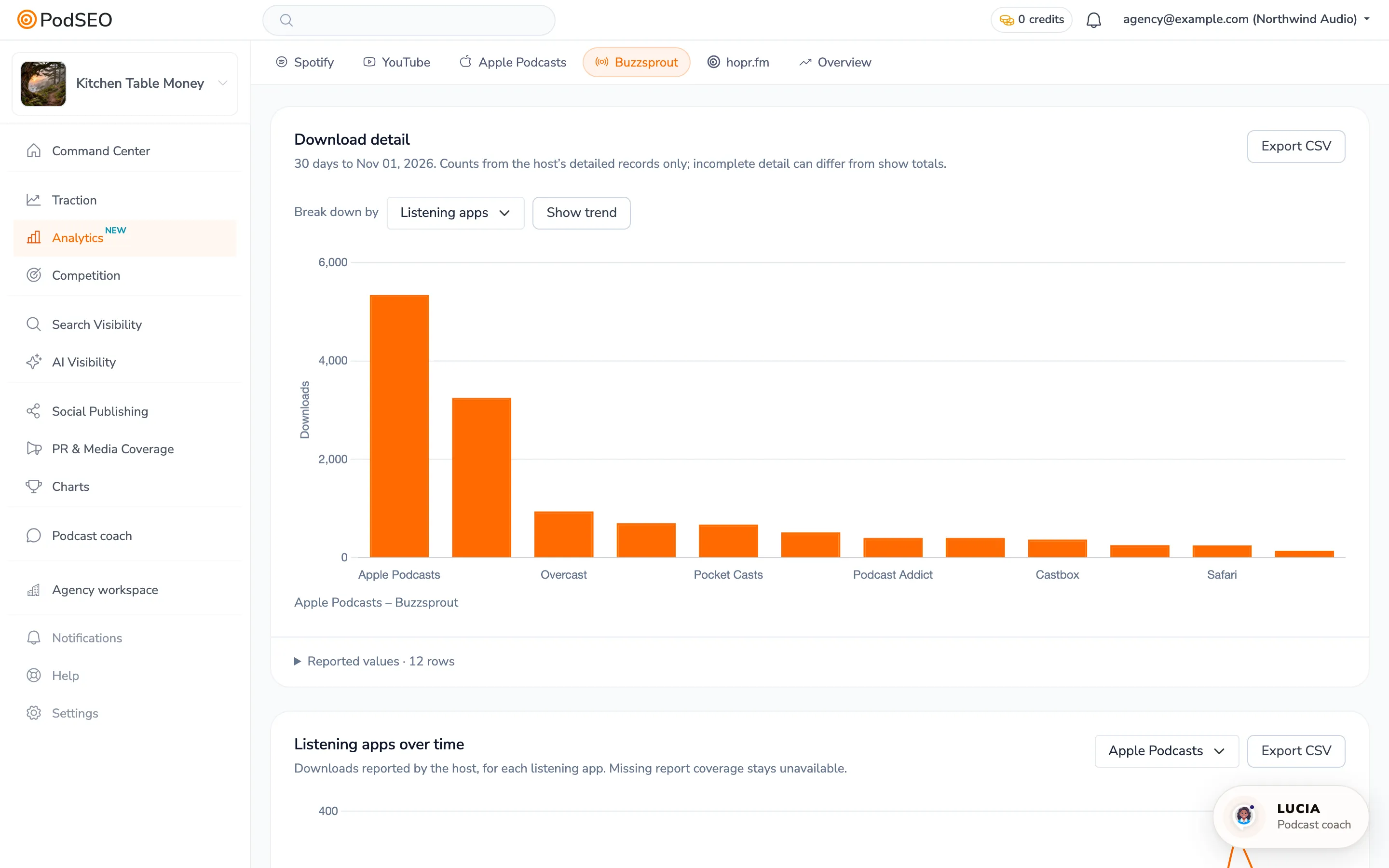
Where provided, Reported values and Export CSV let you inspect a report's observations. “Web browsers” may include automated downloads; a browser entry is not proof of a human listener. A previous report shown after a failed refresh should be read using its original date.
Compare with your other sources
Use Analytics → Overview → Across platforms to select the same episode and inspect its host downloads alongside the available Apple, Spotify and YouTube measurements. Keep every source separate: the same download may already be included in your host and in a tracking prefix.
If your host is not supported, hopr.fm or OP3 can provide download measurements when your feed supports their prefix. They start from the traffic they observe; they do not reconstruct your host's earlier download history.
Connection problems
A newly connected show can display the overview before the episode history is ready. A Connection expired message asks you to reconnect; older numbers, where shown, retain their original dates. Use Connections to manage access. For Buzzsprout, Simplecast, Captivate and Transistor, deleting access in PodSEO does not invalidate the token at your host: delete or regenerate it in Buzzsprout, regenerate it in Simplecast's Private Apps, click Regenerate API Key in Captivate, or click Expire API Key in Transistor's Manage Your Account, if you need to revoke it completely.